In this post, we will learn, how we can tend to strictly follow the Separation of Concerns principle in the android app development.
What is Separation of concerns?
Separation of concerns is a design principle for separating the distinct components of the system.
For example, if we are using MVVM architecture, then in order to adhere to the separation of concerns principle, we need to separate the individual components like, Model, View and ViewModel. So that these components will be loosely coupled. Lower level components should not use the higher level components.
Sometimes, even after using the best architectural pattern, frameworks, practices, developers fail to obey or achieve the principle of separation of concerns. This is because, components used in the system are actually not loosely coupled. These components may be conceptually loosely coupled, but platform or IDE, will fail to strictly enforce the loose coupling between the components.
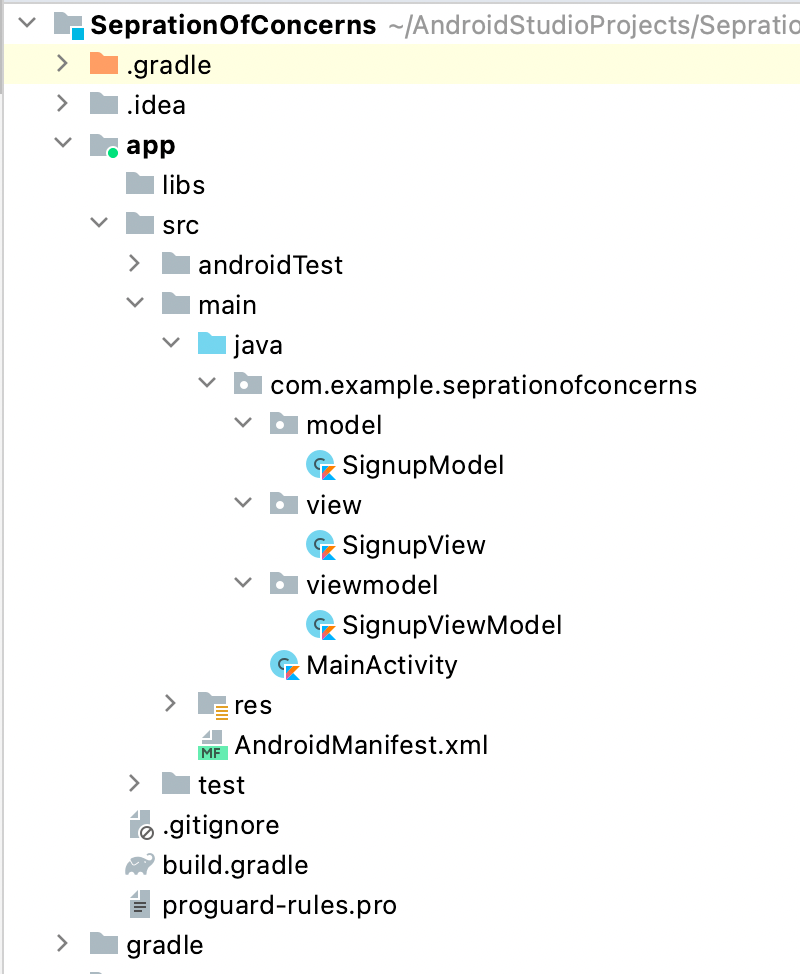
For example, if we consider MVVM architectural pattern for the project, then as per the separation of concerns principle, Model, View and ViewModel should have strict separation. App should follow these guideline, that is, Model components should not use ViewModel and View components. ViewModel components should not use View components. Also, View components should not use Model components directly. Most of the cases, in order to bring this separation, we create 3 different packages inside the app module, as shown in the snapshot below.
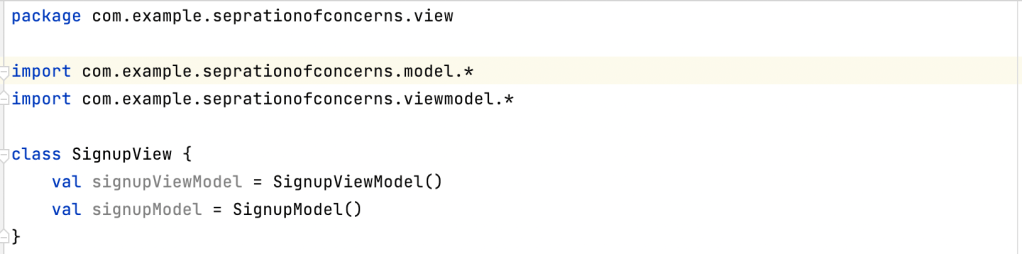
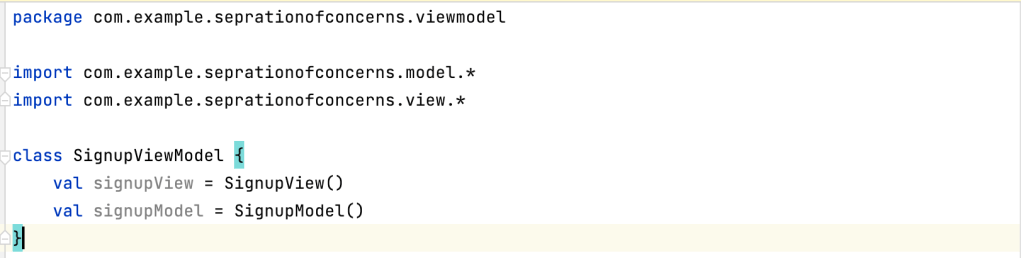
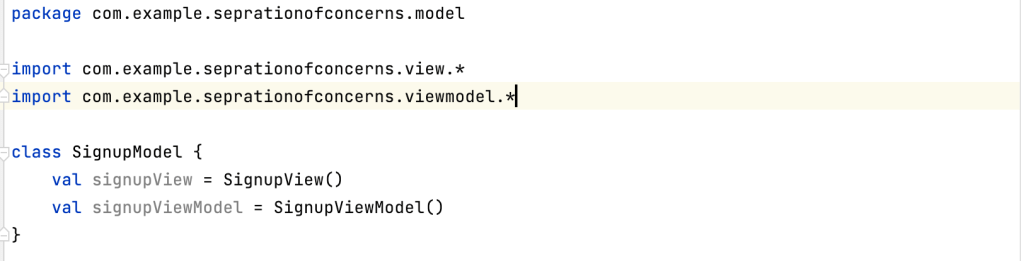
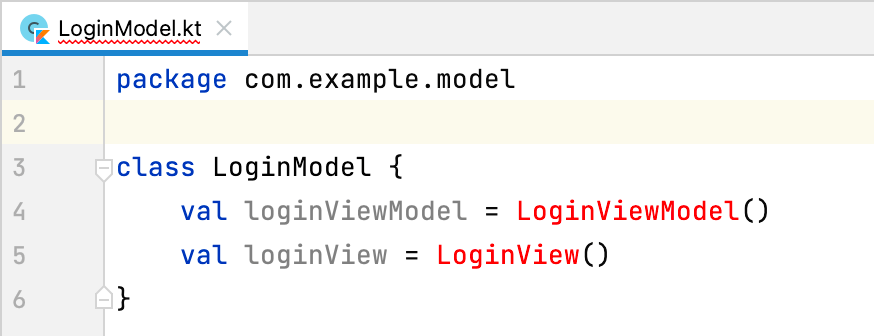
This approach works good as long as the development team strictly follow the above mentioned guidelines. But, In this approach, there is a chance for the lower level components to use the higher level components. That is, Model components can get a references of ViewModel and View components by importing the packages as shown in below snapshots. Similarly ViewModel and View components can use other components.
So, now what is the best approach for achieving the strict separation?
Best approach is, we need to organise the different components in a such a way that platform or IDE itself should give compile time errors, when lower level components try to get a reference of Higher level components. In android projects, we can create new modules for each of these separate components. Android studio provide the option to create or import different types of module in the project, as shown in below snapshot.
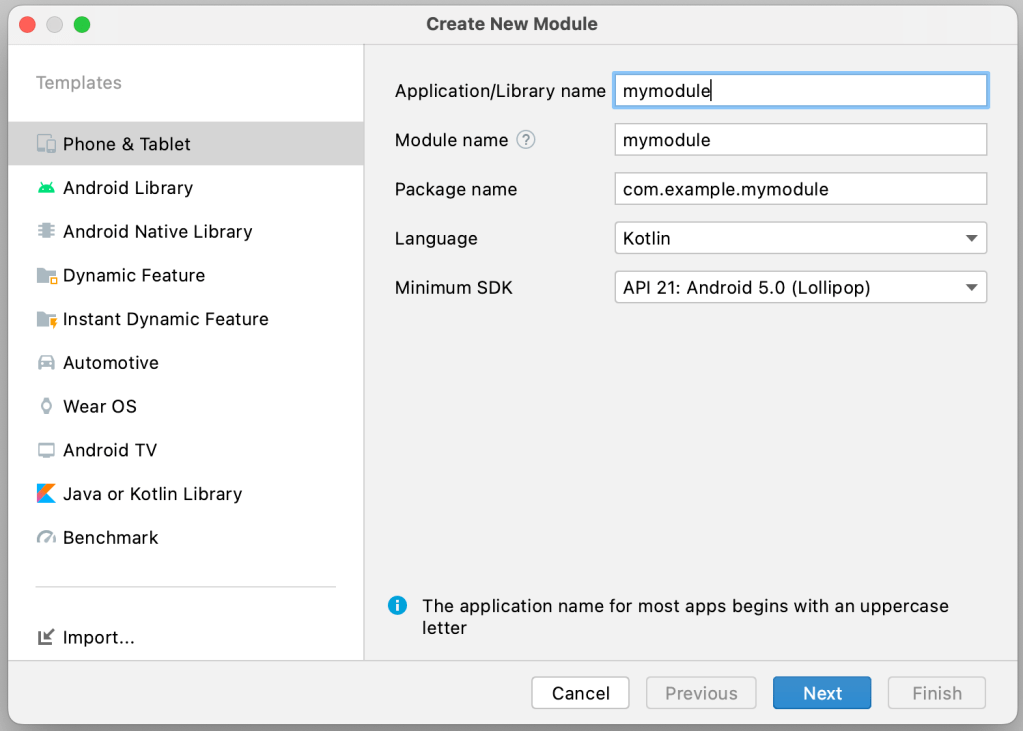
So, in order to achieve strict separation between Model, ViewModel and View components, let’s create 3 different modules for each of these components as shown in below snapshot.
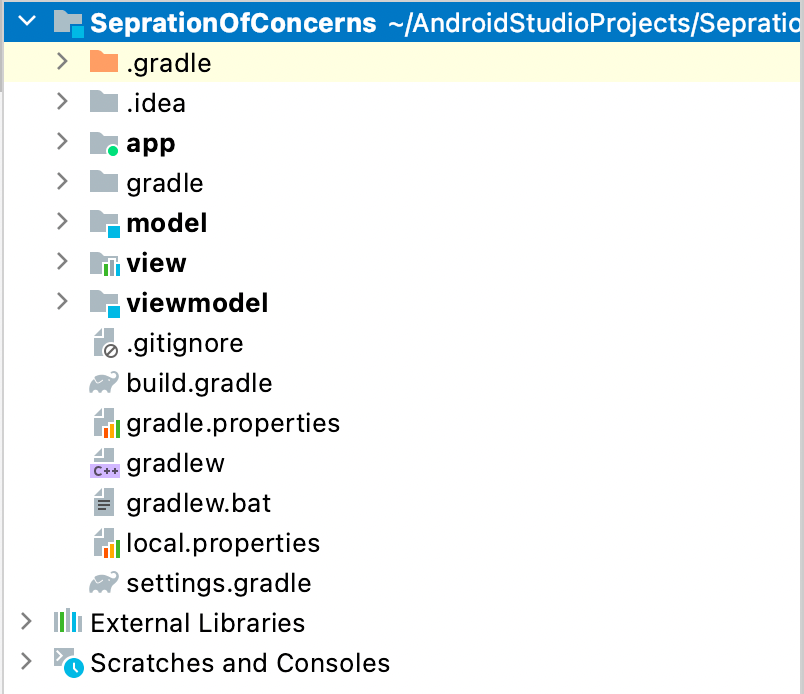
Now create the relevant files inside the respective modules. Since we created 3 different modules in the same level, how to change the level of these components and how to allow higher level components to use lower level components? To do this, we need to add the module dependencies in the respective ‘build.gradle’ files, as show in the snapshots below.
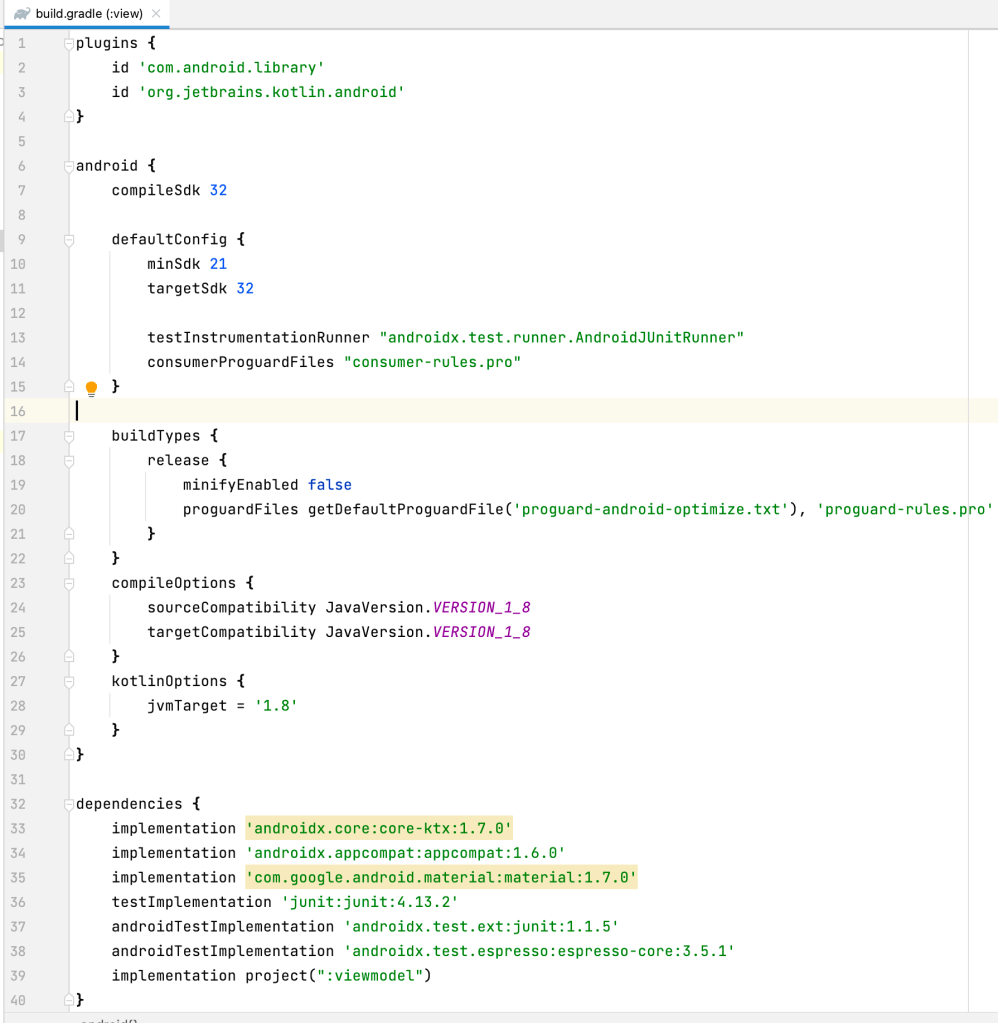
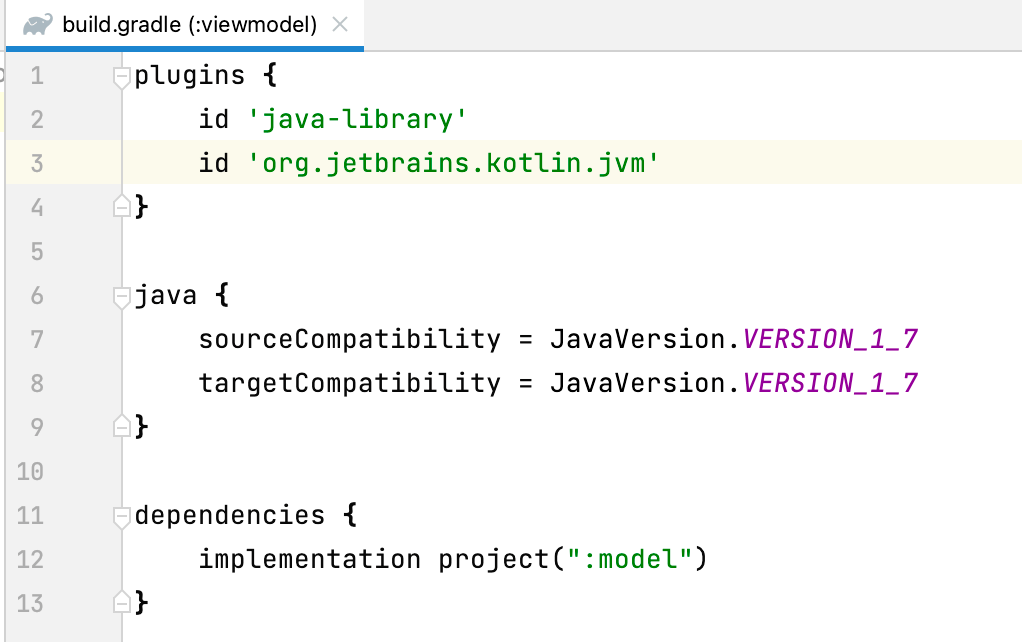
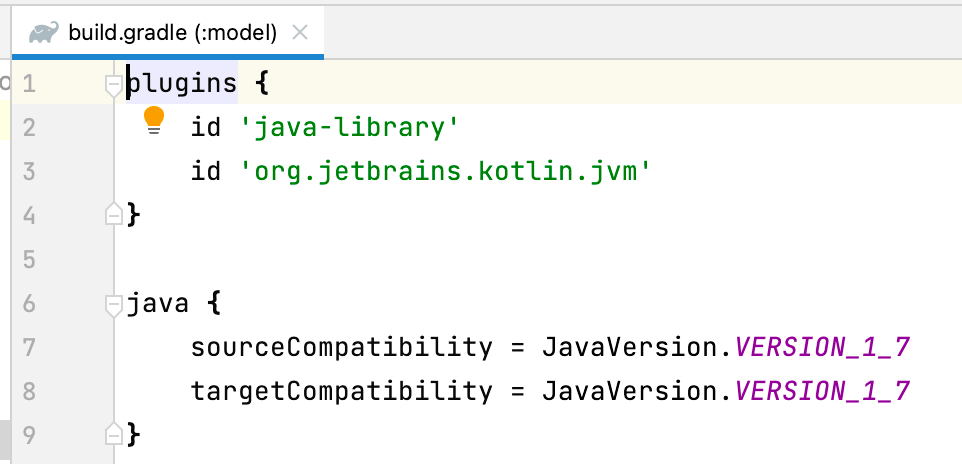
If you observe the ‘build.gradle’ file of model module, no dependencies are added as this is lower level component in the example shown above. This does not dependant on other higher level modules. Whereas, if you observe the ‘build.gradle’ files of view and viewmodel module, dependencies of lower level components are added. So that View and ViewModel components can use the lower level components. Now, after these changes, View component can use the ViewModel and ViewModel component can use the Model. See the snapshots below.
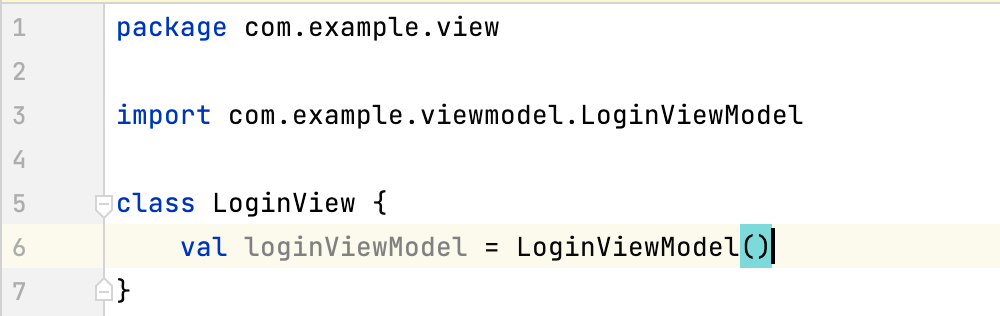
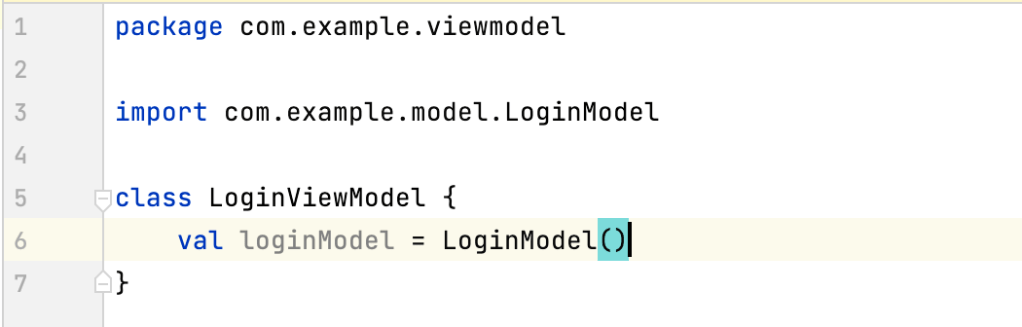
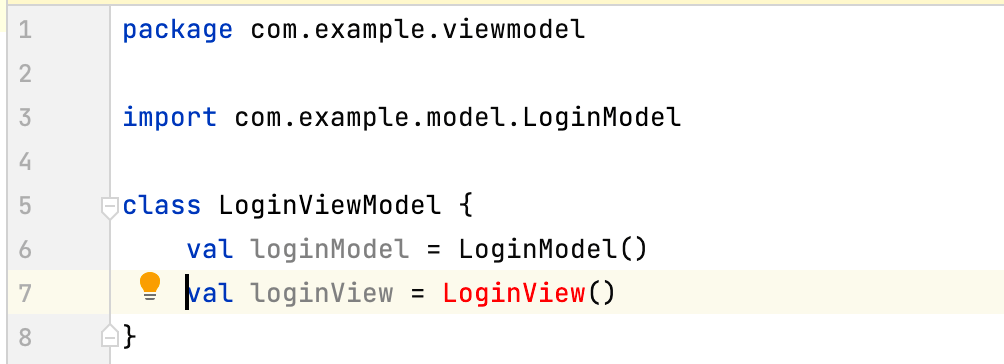
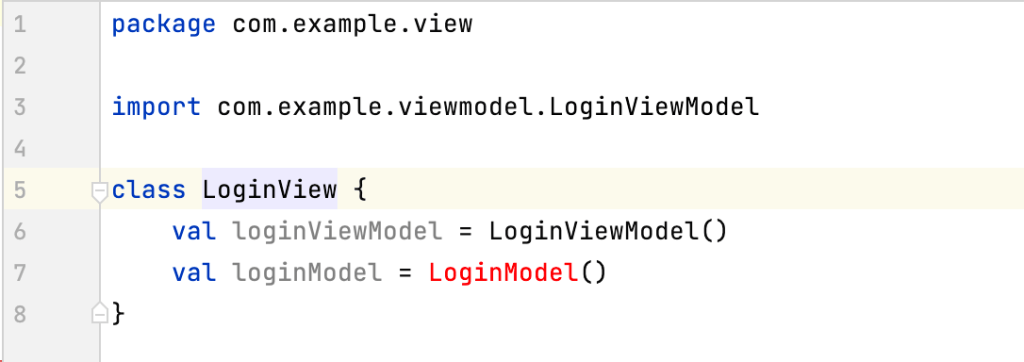
Now, what if Model components, try to use ViewModel and View components? As you see in below snapshots, compiler will give errors in such cases. Also, as you can see, View component cannot directly use Model components. It has to use via ViewModel components.
Hope this will give some idea about how to organise the different components of the architecture inside the project.


